
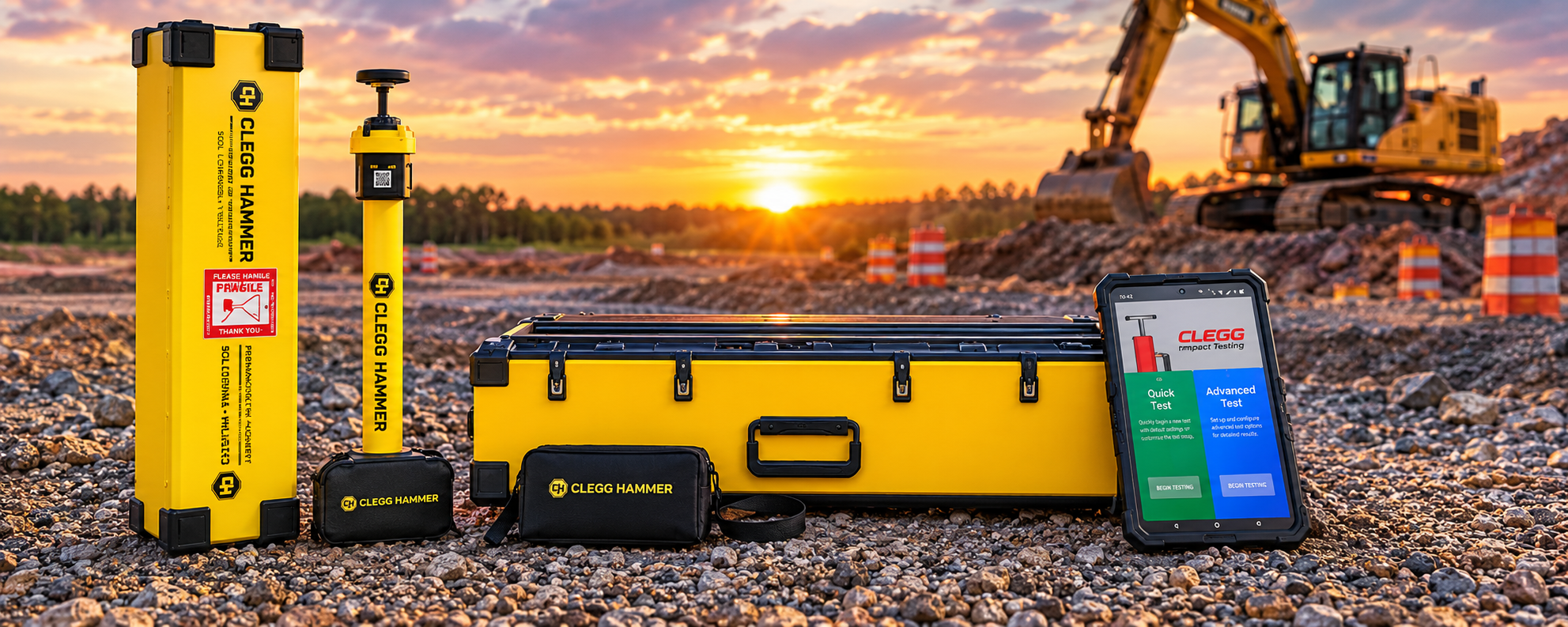
Clegg Control App for Soil Compaction Testing
Record, Map and Manage Clegg Hammer Test Results
The Clegg Control App works with the Clegg Hammer to simplify field testing and soil compaction data collection. Capture Clegg Impact Values (CIV), associate test readings with GPS locations, and export your results for mapping, reporting, and further analysis.
Designed for field use, the Clegg Control App helps construction professionals collect organized, location-specific data when evaluating the strength and stiffness of soils, aggregates, pavement materials, and other suitable test surfaces.

Available for Android and iOS.


A Smarter Way to Collect Soil Compaction Test Data
The Clegg Hammer provides rapid impact testing in the field. The Clegg Control App complements the instrument by helping you record test readings, organize site information, and turn field measurements into useful project data.
Whether you are evaluating road base, pavement materials, compacted subgrade, or trench reinstatement, the app supports a more organized approach to field testing and documenting results.
Capture Clegg Impact Values
Record impact readings during Clegg Hammer testing and keep your results organized for later review. The app supports field data collection without relying solely on handwritten notes.
Track GPS Test Locations
Associate readings with geographic coordinates to identify where testing occurred. Location-based data helps you understand variations across a project and revisit test locations during future inspections.
Export Data for Mapping and Reporting
Export collected test data in CSV format for use in compatible spreadsheet and mapping software. Turn individual readings into a broader picture of ground conditions across your project.
Share Results With Your Project Team
Make collected information available to engineers, contractors, project managers, and other stakeholders who need to review field results.
Compare Testing Over Time
Return to a site and perform additional testing to help evaluate changes in measured impact values between testing sessions. Comparing location-based results can support ongoing quality control and site assessment.

How the Clegg Control App Works
1. Perform Your Clegg Hammer Test
Use the Clegg Hammer to evaluate the material at the selected test location. The instrument measures the deceleration of a falling mass on impact and produces a Clegg Impact Value.
2. Capture and Organize Your Readings
Use the Clegg Control App to record readings and associate them with the appropriate testing location and session. Available testing modes support different field data collection workflows.
3. Map Your Test Locations
Use the GPS information associated with your readings to identify testing locations. Location-based results help reveal differences across roads, construction areas, and other test sites.
4. Export Your Field Data
Export your collected data to a CSV file for compatible spreadsheets and mapping applications. Use the exported information to review results, create maps, and share project data.
5. Review and Compare Results
Use your records to support project documentation and future testing. Comparing results from different locations or dates can help identify areas that warrant further investigation.
GPS Mapping for Soil and Pavement Testing
Knowing where a measurement was taken is an important part of understanding field conditions. The Clegg Control App combines test data with location information to help you evaluate results geographically.
When exported to compatible mapping software, your Clegg Hammer test data can help you:
Visualize impact values across a road or construction site.
Identify variations between testing locations.
Document where field measurements were collected.
Share location-specific results with engineers and project stakeholders.
Compare maps from different testing dates.
Maintain a record of field testing for future reference.
The app's CSV export workflow provides a practical way to move field measurements into mapping and spreadsheet tools for further interpretation.
Applications for the Clegg Control App
The Clegg Control App supports data collection workflows for professionals using the Clegg Hammer for field assessment and compaction control.
Road Construction and Unsealed Roads
Record and map impact values across road surfaces and road base materials to help identify variations in measured ground response.
Pavement and Aggregate Testing
Document measurements taken on appropriate pavement materials, aggregates, and construction surfaces.
Soil Compaction and Earthworks
Organize readings collected during subgrade preparation, earthworks, and other suitable soil assessment activities.
Trench Reinstatement and Backfill
Record location-specific readings to help assess variation in the ground response of reinstated areas.
Pavement and Aggregate Testing
Document measurements taken on appropriate pavement materials, aggregates, and construction surfaces.
Construction Quality Control
Maintain organized field records that can support project review, comparison, and material assessment.
Get More From Your Clegg Hammer
The Clegg Hammer combines rapid field testing with digital data collection to help professionals assess ground conditions efficiently.
With the Clegg Control App, you can connect test measurements with their locations, export results for further analysis, and build a more useful record of your field testing activities.
Whether you are working on road construction, pavement assessment, earthworks, or compaction control, the combination of the Clegg Hammer and its mobile app provides a practical approach to collecting and managing field data.